POS / Retail · Live · 2026
Inventra
Point of sale and inventory that keeps working when the internet doesn't
Small and growing shops usually run on three things: a till, a spreadsheet for stock, and a notebook for customers who buy on credit. Inventra replaces all three with one app that runs in the browser on a laptop, tablet or phone.
Background
The problem
A shop can't stop selling because the internet dropped, and it can't trust a system where the numbers can be changed from the browser. On top of that, the people we had in mind ran more than one branch, and we wanted to be able to set up a new business without a new server.
- Sales have to carry on when the connection drops, without being recorded twice
- Each branch needs its own stock, invoice numbers and receipt details
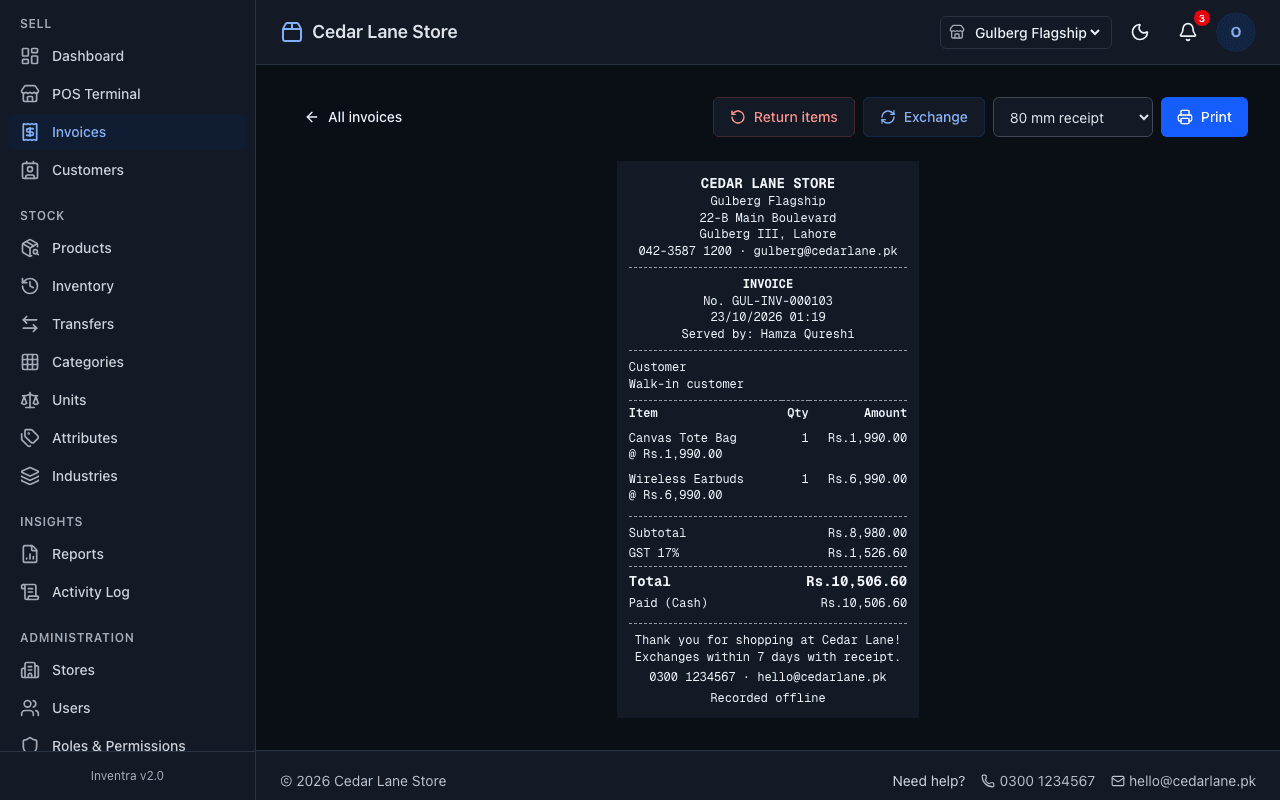
- Tax (GST or VAT) has to be right on every invoice
- Prices, totals and stock can't be something the browser decides
- One installation should serve many businesses, each completely separate
Solution
What we built
The rules that matter live in the database, not the app. Postgres functions handle sales, returns, payments and transfers, so prices come from the catalogue and totals and tax are calculated in one place. Row-level security keeps every business's data apart. On the front end, a service worker and an IndexedDB queue keep the till working offline and sync each sale exactly once when the connection comes back.
- Barcode scanning with a USB scanner or the phone camera
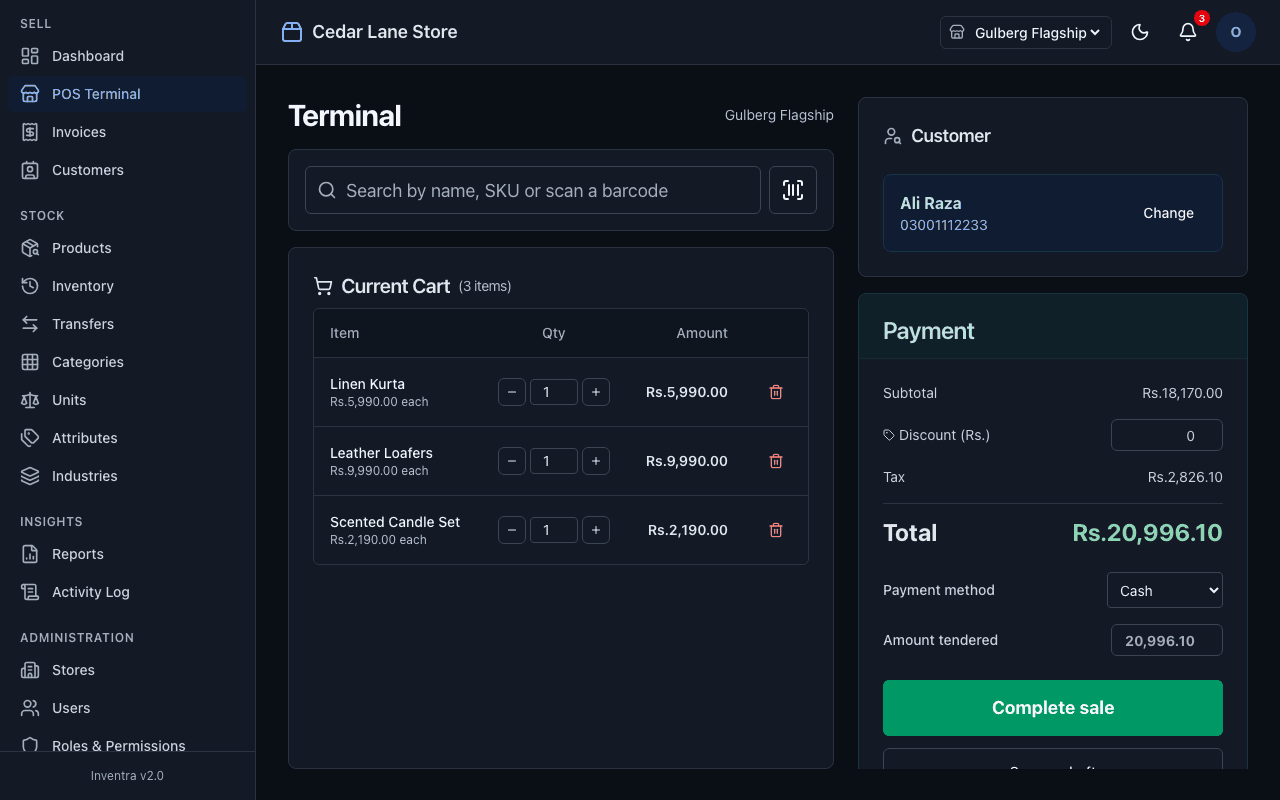
- Cash, card, credit and split payments, with customer balances
- Draft bills to come back to later
- Returns and exchanges that refund exactly what was paid, discount and tax included
- Receipts on A4 or on 80 mm and 58 mm thermal printers
- Stock per branch, with every movement recorded, and transfers in one step
- Roles for admin, manager and cashier, or custom ones, limited to their branches
- Tax per product or category, with prices entered before or including tax
- An audit log of every sale, payment, return, transfer and settings change
- A platform console to create, suspend and reactivate customer businesses
In use
What it looks like
Selling
Scan, pick the customer by phone number, add a discount, take payment and print.
Keeps selling offline
The connection drops, the cashier carries on, and the sale syncs by itself when the internet is back.
Several branches
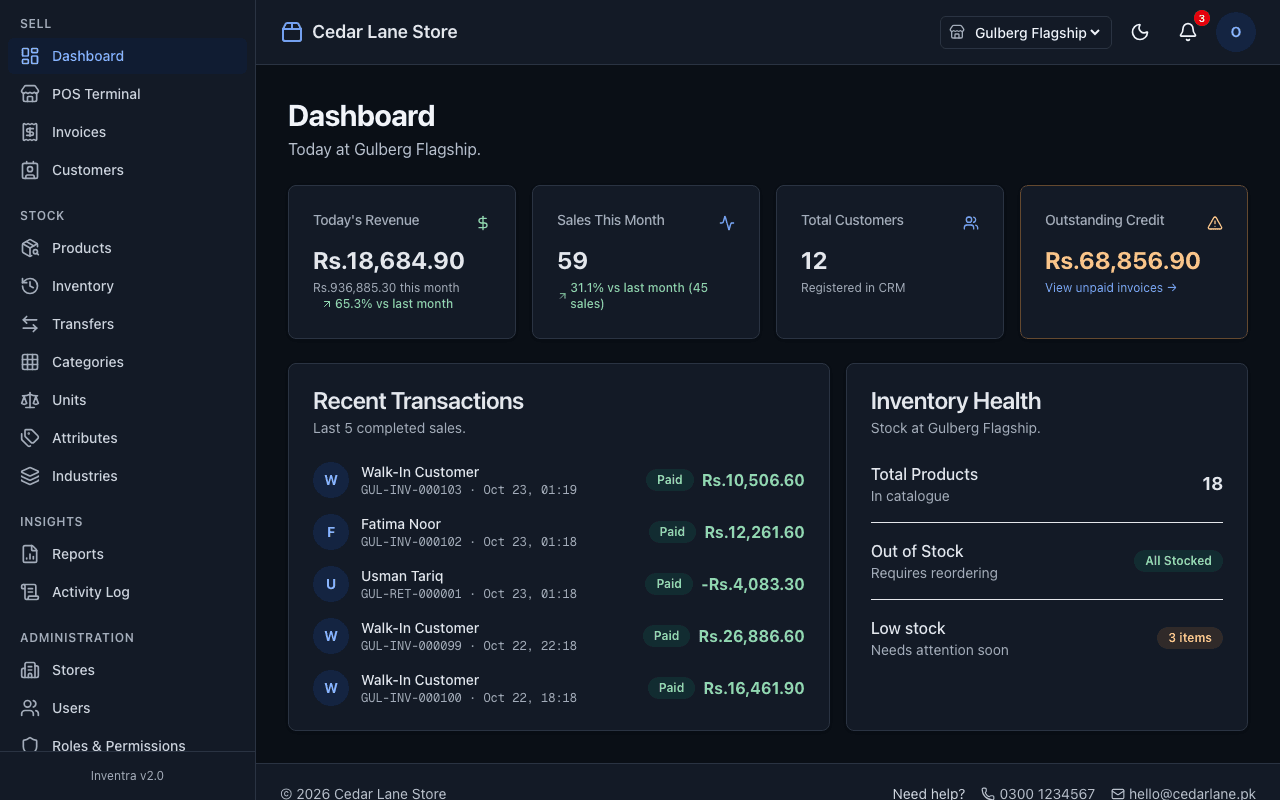
Switch between branches and move stock from one to another. Both update straight away.
Reports
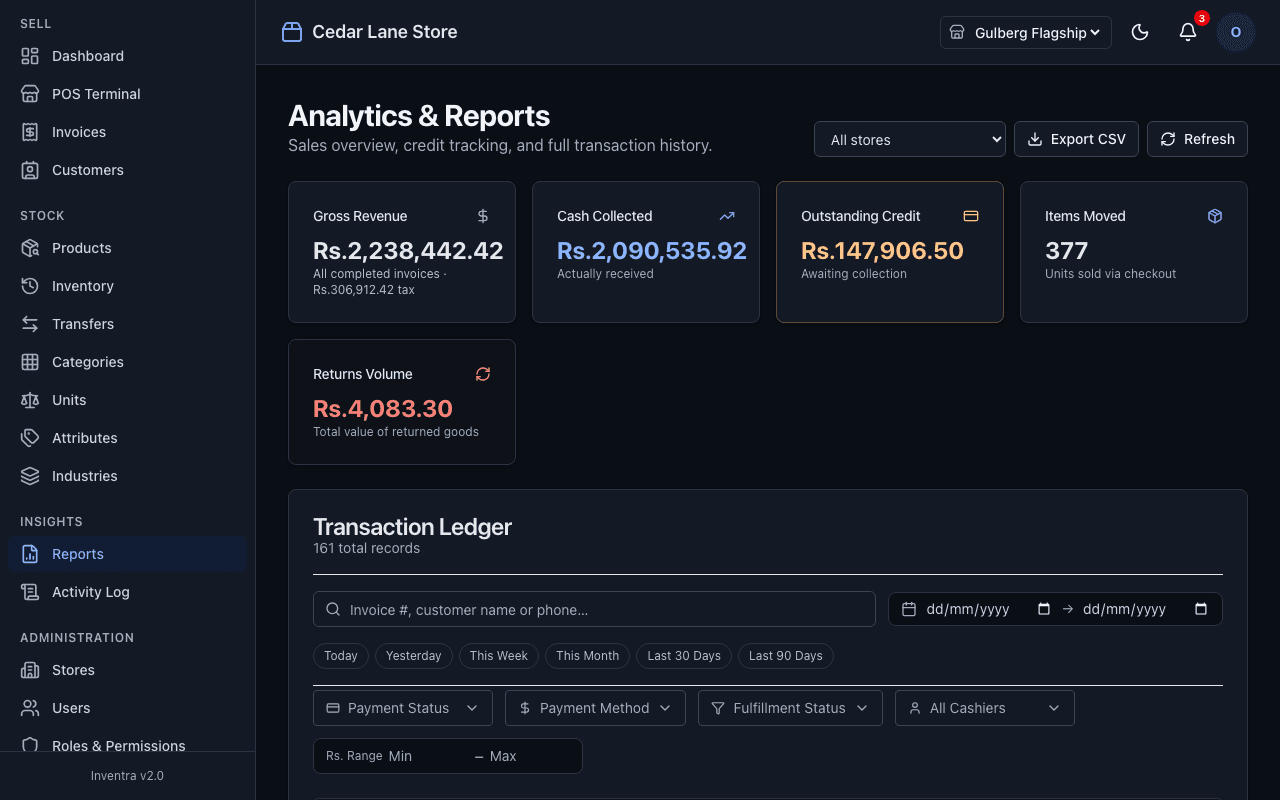
Revenue, cash collected, outstanding credit, tax and returns, filtered by date and branch, and exported to Excel.
A new business in a minute
From the platform console, the owner of the software sets up a new customer business with its own data, stores, staff and settings.
Light and dark mode
Switched from the header and remembered per device. Receipts always print on white, and every screen meets WCAG AA contrast in both themes.
Screens
A closer look
Details
How it's kept honest
- No public sign-up. Staff are added by their admin with a one-time password they have to change.
- Deactivated users and suspended businesses lose access immediately.
- Completed invoices can't be edited, and products with sales history are archived rather than deleted.
- 58 automated database checks cover isolation between businesses, permissions, pricing, tax, returns, offline sync and stock transfers.
- A separate test confirms the POS total always matches the final invoice across random carts.